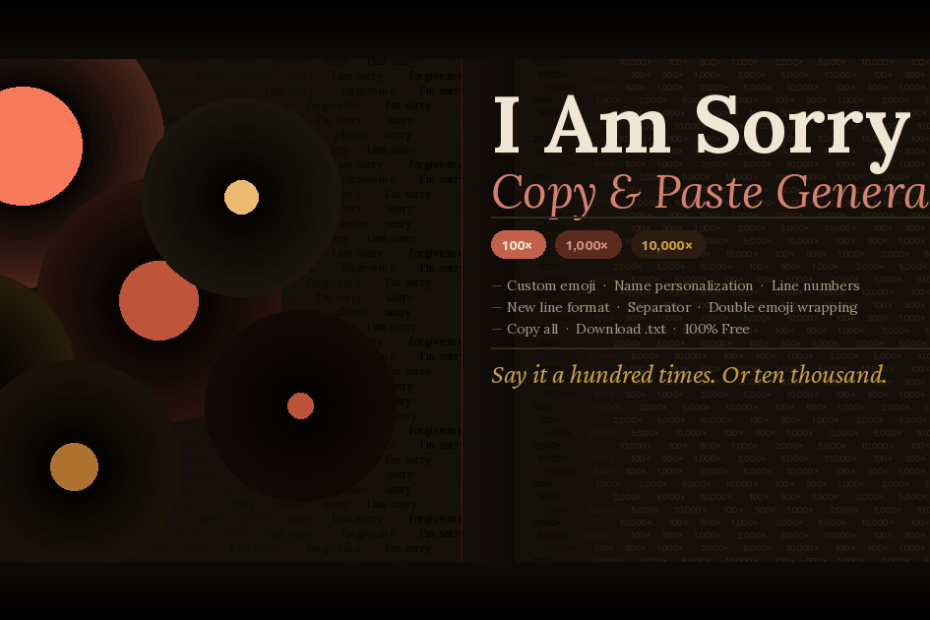
Generate “I am sorry” repeated 100, 200, 500, 1,000 or 10,000 times with emojis — fully customizable and ready to copy & paste on WhatsApp, iMessage, or any chat app in seconds.
I Am Sorry Copy & Paste 100 to 10,000 Times Message Generator
Customize your apology message below, then generate and copy in one click.
Ready-to-Copy Sample Packs
Click any card to instantly load that sample into the output box.
What Is the “I Am Sorry Copy & Paste 100 Times” Generator?
The I am sorry copy and paste generator is a free online tool that lets you instantly generate the phrase “I am sorry” — or any apology message — repeated anywhere from 100 to 10,000 times, with or without emojis. Whether you’re looking for sorry 100 times copy and paste text to send to a partner, friend, or family member, this tool creates your message in seconds so you can paste it directly into WhatsApp, iMessage, Instagram DMs, or any messaging platform.
Unlike static copy-paste lists, this generator is fully dynamic. You choose the exact count, the phrase, the emoji, and the formatting — giving you complete control over how your apology looks before you send it.
How to Use the Sorry 100 to 10000 Times Copy Paste Tool
The entire process takes under 30 seconds:
- Select a preset phrase or type your own custom apology message
- Choose your emoji from the picker — or select “none” for plain text
- Add a recipient’s name to personalize every line (e.g. “I am sorry Sarah 😔”)
- Click a quick count button or drag the slider for a precise custom number
- Toggle formatting options like line numbers or double emoji
- Hit Generate Sorry Messages, then click Copy All or download as .txt
Why Do People Search for Sorry Typed 100 Times Copy and Paste?
Sending “sorry” repeated many times has become a deeply rooted practice in digital communication. People search for sorry typed 100 times copy and paste because typing it manually is time-consuming, and the visual wall of repeated apologies carries weight that a single “I’m sorry” simply cannot. The repetition signals sincerity — it shows you went beyond a casual message.
This trend is especially popular on WhatsApp and iMessage, where a screen-filling scroll of “sorry 🙏” creates an emotionally powerful moment that’s hard to ignore.
Copy and Paste Sorry 1000 Times for WhatsApp and Text Messages
If you’re sending copy and paste sorry 1000 times on WhatsApp, generate the text, click Copy All, open your chat, long-press the message field and tap Paste. For very large outputs like 5,000 or 10,000 lines, WhatsApp sends the full content even if the preview is truncated. You can also download as .txt and copy it in segments if needed.
Sorry 500 Times, 2000 Times, and 5000 Times: Choosing the Right Count
The repetition count carries its own emotional weight:
- 50–100 times — sincere apology for minor to moderate situations
- 500 times — stronger statement for serious disagreements
- 1,000 times — the most common “deep remorse” count
- 2,000–5,000 times — significant relationship moments or very public apologies
- 10,000 times — maximum dramatic impact; often romantic or humorous
Forgive Me 1000 Times Copy and Paste: Alternative Apology Phrases
Not every apology needs the word “sorry.” This generator supports forgive me, I apologize, my bad, and please forgive me — all repeatable 100 to 10,000 times. The forgive me 1000 times copy and paste variant is especially popular in romantic contexts because it carries a more vulnerable, pleading tone. “I apologize” reads more formal for semi-professional situations, while “my bad” keeps things light for minor mishaps.
Sorry 100 Times with Emoji: Which Apology Emoji to Choose
Emojis transform the emotional register of your apology:
- 🙏 Folded hands — universal symbol of pleading; most recognized across cultures
- 😔 Pensive face — quiet sadness and genuine remorse; most neutral option
- 💔 Broken heart — for romantic apologies; signals you know you caused pain
- 🥺 Pleading face — soft and vulnerable; widely used in close relationships
- 😢 / 😭 — heightened emotion; shows the apology is deeply felt
- 🙇 Bowing person — deepest level of respect and humility
How to Send Sorry 100 Times Copy and Paste on Different Platforms
Generate your text, copy it, open a chat, tap the text field, long-press and tap Paste, then send. WhatsApp sends the full content even for very long pastes.
iMessage & SMS
Paste directly into the iMessage field. Standard SMS splits long texts into multiple segments automatically — your recipient sees them all in sequence.
Instagram DM
Open a DM, tap the message field, long-press and paste. Instagram supports long text pastes without truncation in direct messages.
Discord
Paste into any Discord message field. For very large texts Discord may suggest sending as a file — split the content into smaller chunks to send as regular messages instead.
Frequently Asked Questions
Everything about the sorry copy paste generator and apology text tool.
More Free Copy & Paste Generators
Other tools and content from PunsGenerator.com you might enjoy.
Sorry ßaby
Maaf sayang ku cinta ku bidadari ku 💖💖💖
Sorry
Sorry 😭😭😭
Sorry 😔
Sorry 5p times
Sorry
Sorry sorry sorry sorry sorry sorry sorry sorry sorry sorry sorry sorry sorry
Sorry